
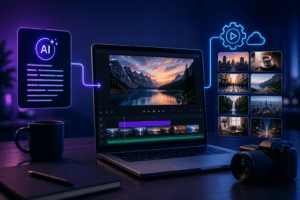
If you’ve ever stared at a blank timeline at 11 PM wondering how you’re going to hit tomorrow’s upload deadline, you’re not alone. Building an AI video creation stack is no longer a “nice to have” for content creators, agencies, and marketing teams — it’s the difference between publishing three videos a week and publishing thirty. In this guide, we’ll break down exactly how to pair AI scripting tools with automated B-roll sourcing to build a repeatable, scalable, and genuinely good-looking video pipeline.
Why You Need an AI Video Creation Stack in 2026
Video is still the highest-converting content format across YouTube, TikTok, Instagram Reels, and even LinkedIn. But manual production doesn’t scale. A solid AI video creation stack solves three problems at once: speed, consistency, and cost. Instead of hiring a scriptwriter, a voice actor, a videographer, and an editor for every single video, you orchestrate AI tools that each handle one part of the pipeline.
| Traditional Workflow | AI Video Creation Stack |
|---|---|
| 3–5 days per video | 2–4 hours per video |
| Multiple freelancers/team members | 1 operator + AI tools |
| Inconsistent quality | Templated, repeatable quality |
| High cost per video | Low marginal cost at scale |
Layer 1: AI Scripting — The Foundation of Your Stack
Every great video starts with a great script, and this is where most creators waste the most time. AI scripting tools (think Claude, ChatGPT, or specialized tools like VidIQ’s script generator) can take a topic, target audience, and tone, and output a structured script in minutes.
What a Good AI Script Prompt Should Include
- Target audience and platform (YouTube long-form vs. TikTok short-form)
- Hook style (question, bold claim, pattern interrupt)
- Desired tone (conversational, authoritative, humorous)
- Scene-by-scene breakdown markers — this is critical for B-roll automation later
- CTA placement and exact wording
The key insight here is that your script shouldn’t just be dialogue — it should include scene markers or keywords for every beat. This is the bridge that connects AI scripting to automated B-roll, and it’s the part most people skip.
Layer 2: Automated B-Roll — Visuals Without the Camera
Once your script is broken into scenes, automated B-roll tools (like Pictory, InVideo AI, or Runway) can scan your script’s keywords and pull matching stock footage, AI-generated clips, or motion graphics automatically. This is the second pillar of any modern AI video creation stack.
| Tool Type | Best Use Case | Output Style |
|---|---|---|
| Stock-footage matchers | Talking-head videos, explainers | Realistic, fast turnaround |
| AI video generators | Abstract concepts, futuristic topics | Stylized, unique visuals |
| Motion graphic generators | Data, stats, comparisons | Clean, brand-consistent |
Building the Full AI Video Creation Stack: Step by Step
- Ideation: Use AI to generate topic angles based on trending searches.
- Scripting: Generate a scene-tagged script using your reusable prompt template.
- Voiceover: Feed the script into an AI voice tool (ElevenLabs, Murf) for natural narration.
- Automated B-roll: Use scene tags to auto-pull matching footage.
- Assembly: Sync voiceover, B-roll, captions, and music in an automated editor.
- Review & Polish: Manually tweak only the 10–15% that needs a human touch.
Notice that the human is still in the loop — just at the review stage instead of the production stage. This is the real promise of an AI video creation stack: it doesn’t remove creative control, it removes repetitive manual labor.
Common Mistakes When Building Your Stack
⚠️ Watch Out:
- Using generic stock footage that doesn’t match your brand’s visual identity
- Skipping scene tagging, which breaks B-roll automation entirely
- Over-relying on AI voiceover without checking pacing against visuals
- Forgetting to add a human review pass before publishing
How This Impacts SEO, GEO, and AEO for Your Videos
An optimized AI video creation stack isn’t just about speed — it directly impacts discoverability. AI search engines (the foundation of GEO — Generative Engine Optimization) and answer engines (AEO) increasingly pull from video transcripts, structured scripts, and metadata. A scene-tagged script doubles as a rich transcript source, which means your videos become more quotable by tools like ChatGPT Search, Perplexity, and Google’s AI Overviews.
| Optimization Type | How the Stack Helps |
|---|---|
| SEO | Clean transcripts improve video indexing and keyword relevance |
| GEO | Structured scripts give generative engines clear, citable answers |
| AEO | Scene-based scripting naturally produces Q&A-style segments AI assistants can extract |
Frequently Asked Questions
Q: What is the best AI video creation stack for beginners?
A: Start with a free-tier scripting AI, a basic automated B-roll tool, and a simple voice generator. You don’t need every premium tool to build an effective AI video creation stack on day one.
Q: Can an AI video creation stack fully replace human editors?
A: Not entirely. It handles repetitive tasks like sourcing footage and drafting scripts, but a human review pass still improves quality, pacing, and brand alignment.
Q: How does automated B-roll actually match footage to a script?
A: Most tools scan keywords or scene tags in your script and search a stock or AI-generated footage library for visually relevant matches.
Q: Is an AI video creation stack expensive to set up?
A: Most tools offer free or low-cost tiers. A functional starter stack can cost under $50/month, scaling up as your output volume grows.
Final Thoughts
The creators and teams winning right now aren’t the ones with the biggest budgets — they’re the ones with the smartest AI video creation stack. By pairing structured AI scripting with automated B-roll sourcing, you build a pipeline that scales without sacrificing quality. Start small, tag your scenes properly, and let the automation do the heavy lifting while you focus on the creative decisions that actually move the needle.
