
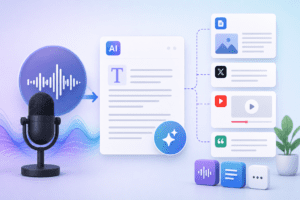
If you’re sitting on hours of podcast episodes, webinar recordings, sales calls, or YouTube videos, you’re sitting on a content goldmine. The fastest way to unlock that value is by building free AI audio-to-text stacks for content repurposing — a combination of transcription, summarization, and rewriting tools that turn raw audio into blogs, social posts, newsletters, and even structured data that AI search engines love.
In this guide, we’ll break down exactly which free AI audio-to-text stacks for content repurposing actually work in 2026, how to chain them together, and how to optimize the output for SEO, GEO (Generative Engine Optimization), and AEO (Answer Engine Optimization) — so your repurposed content shows up not just on Google, but inside ChatGPT, Perplexity, and AI Overviews.
Why Audio-to-Text Stacks Matter for Content Repurposing in 2026
Search behavior has changed. People aren’t just typing queries into Google anymore — they’re asking AI assistants conversational questions and expecting direct answers. This shift makes free AI audio-to-text stacks for content repurposing incredibly valuable because:
- Audio and video content contains natural, conversational language — exactly what AEO and GEO models prefer to cite.
- Transcripts can be restructured into FAQs, how-tos, and listicles that rank well in both traditional SEO and AI search.
- One 30-minute podcast can become a blog post, 5 LinkedIn posts, a YouTube Short script, and an email newsletter — all for free.
The Core Components of a Free AI Audio-to-Text Stack
Every effective free AI audio-to-text stack for content repurposing has three layers: capture, transform, and distribute. Here’s how they fit together.
| Layer | Free Tools | Output |
|---|---|---|
| Capture (Audio-to-Text) | OpenAI Whisper (free, open-source), Otter.ai free tier, Descript free tier, YouTube auto-captions | Raw transcript with timestamps |
| Transform (Summarize/Rewrite) | ChatGPT free, Claude free tier, Google Gemini free | Blog drafts, summaries, key quotes |
| Distribute (Format & Publish) | Notion AI, Google Docs, Canva free | Social posts, newsletters, carousels |
Best Free AI Audio-to-Text Stacks for Content Repurposing (Ranked)
Below are the top free AI audio-to-text stacks for content repurposing that creators, marketers, and SEO professionals are actually using right now.
1. Whisper + ChatGPT + Notion AI
This is the most popular free AI audio-to-text stack for content repurposing because Whisper offers near-perfect transcription accuracy at zero cost, ChatGPT restructures it into blog or social formats, and Notion AI cleans up tone and formatting before publishing.
Best for: Podcasters, YouTubers, course creators
2. Otter.ai + Claude + Canva
Otter.ai’s free plan handles live transcription for meetings and webinars exceptionally well. Pair it with Claude’s free tier for nuanced rewriting, then use Canva to design carousel posts or quote graphics from key transcript moments.
Best for: B2B marketers, sales teams, webinar hosts
3. YouTube Auto-Captions + Google Gemini + Google Docs
If your content already lives on YouTube, this stack is essentially free transcription you already own. Export captions, clean them with Gemini, and format with Google Docs for instant blog publishing.
Best for: YouTubers repurposing existing video libraries
4. Descript Free Tier + ChatGPT
Descript’s free transcription doubles as a basic audio/video editor, letting you clip soundbites while simultaneously generating text. Feed that text into ChatGPT for repurposing into multiple formats.
Best for: Short-form video creators, podcast clippers
How to Optimize Repurposed Transcripts for SEO, GEO, and AEO
Transcribing is only step one. The real value of free AI audio-to-text stacks for content repurposing comes from how you structure the output for discoverability.
| Optimization Type | What to Do |
|---|---|
| SEO | Add headers, internal links, and the focus keyword naturally throughout the repurposed blog post. |
| GEO | Keep direct quotes from the original audio intact — LLMs favor citing original, first-person statements. |
| AEO | Structure content with clear Q&A sections so answer engines can extract direct responses. |
Step-by-Step: Building Your First Free AI Audio-to-Text Stack
- Record or source your audio — podcast episode, webinar, sales call, or interview.
- Transcribe it free using Whisper, Otter.ai, or YouTube captions.
- Clean and summarize the transcript using ChatGPT, Claude, or Gemini.
- Repurpose into formats — blog post, LinkedIn carousel, Twitter/X thread, email newsletter.
- Optimize for search by adding your focus keyword, headers, and structured Q&A blocks.
- Publish and distribute across your owned channels and social platforms.
Common Mistakes to Avoid
- Skipping the summarization layer and publishing raw transcripts
- Ignoring speaker labels in multi-person recordings, which confuses AI rewriting tools
- Forgetting to add structured headers, which hurts both SEO and AEO performance
- Not fact-checking AI-generated summaries against the original audio
Frequently Asked Questions
Q: What is the best free AI audio-to-text stack for content repurposing?
A: The Whisper + ChatGPT + Notion AI combination is currently the most popular free AI audio-to-text stack for content repurposing, offering high transcription accuracy and flexible repurposing options.
Q: Can I really repurpose audio into content for free?
A: Yes. Free AI audio-to-text stacks for content repurposing rely entirely on free-tier tools like Whisper, Otter.ai, ChatGPT, and Google Docs, making the entire workflow cost-free for individual creators and small teams.
Q: How accurate is free AI transcription?
A: Tools like OpenAI Whisper achieve over 95% accuracy on clear audio, making them reliable enough for most content repurposing workflows without paid upgrades.
Q: Does repurposed content rank well in AI search engines?
A: Yes, when properly structured. Free AI audio-to-text stacks for content repurposing naturally produce conversational, first-person content that GEO and AEO systems prefer to cite.
Final Thoughts
Building free AI audio-to-text stacks for content repurposing isn’t just a productivity hack — it’s becoming essential for staying visible across both traditional search and AI-driven answer engines. By combining free transcription tools with free AI rewriting and formatting tools, you can turn every piece of audio content you create into five, ten, or even twenty pieces of optimized, discoverable content — without spending a single dollar.

Pingback: Free AI Stack for Solopreneurs (2026 Tools Guide)
Pingback: How to Auto-Publish Voice Notes Into Organized Project Pipelines